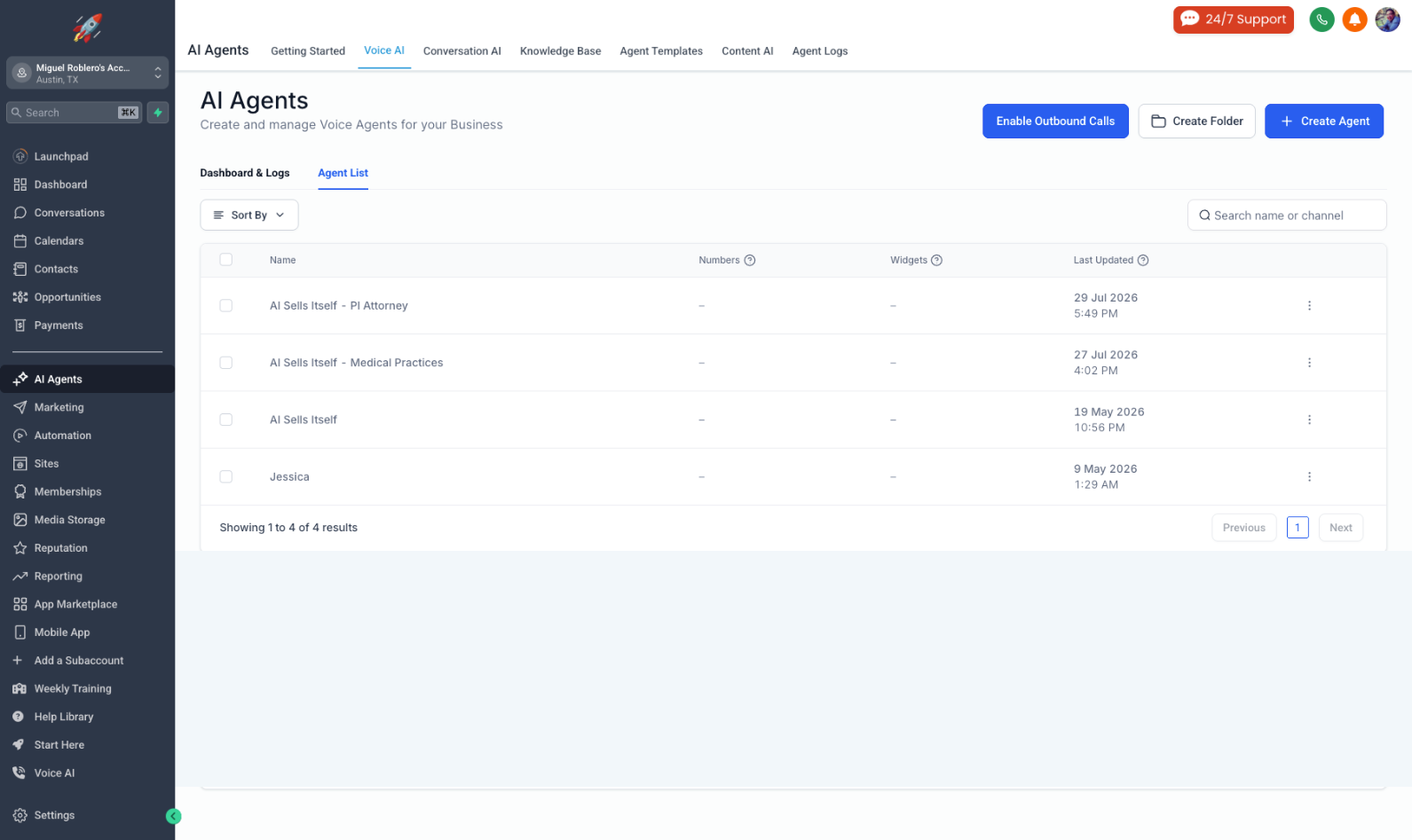
Building an Inbound Voice AI Employee via System Prompting
Client Challenge: Apex Heating & Air was losing 35% of high-value inbound calls after hours due to voicemail drop-offs. Traditional answering services failed to qualify leads or directly schedule technician visits.
The Solution: Deploying "Maya"—a custom-prompted Voice AI Employee directly inside GoHighLevel to answer calls 24/7, parse conversation variables into CRM fields, and automatically book service appointments.
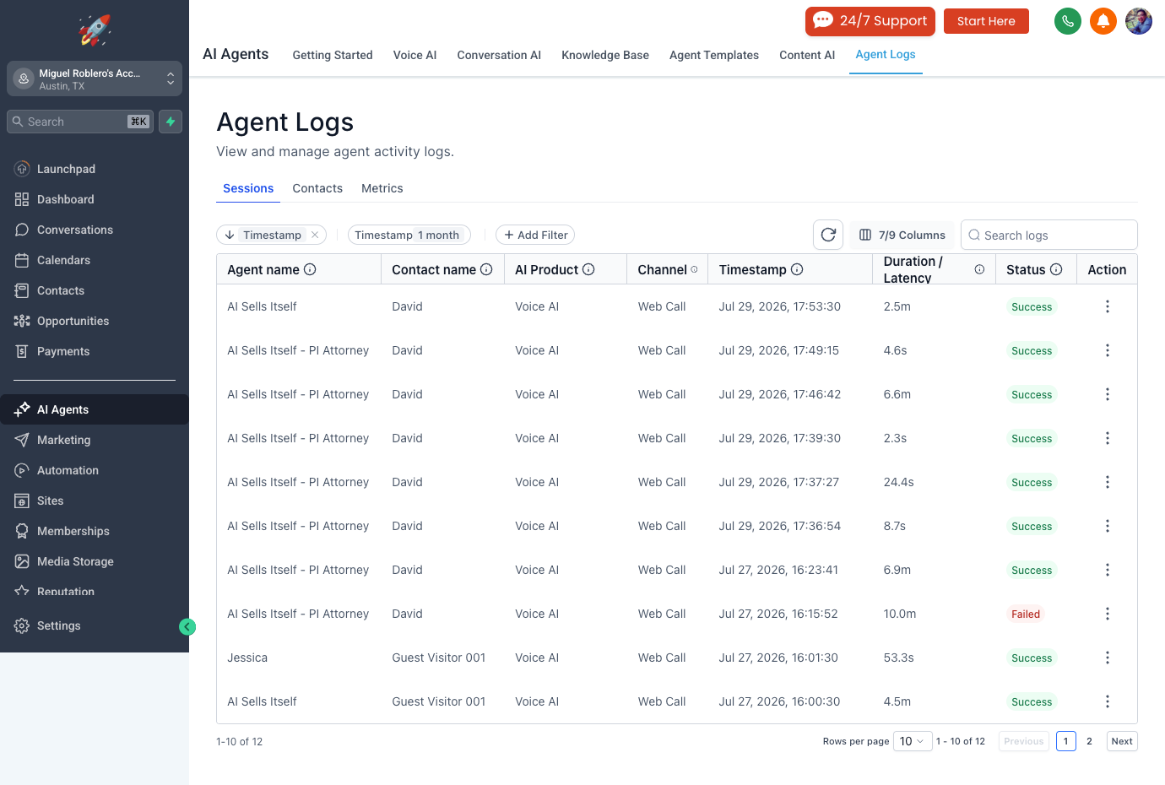
Zero missed inbound calls. Voice AI answers within 2 rings on all after-hours lines.
Inbound callers qualified and booked onto the dispatch calendar without human intervention.
Step-by-Step Implementation Blueprint
 Configure CRM Custom Fields
Created key contact attributes in GHL: Service Type, Issue Urgency, Property Address, and Preferred Time Slot to store extracted speech data.
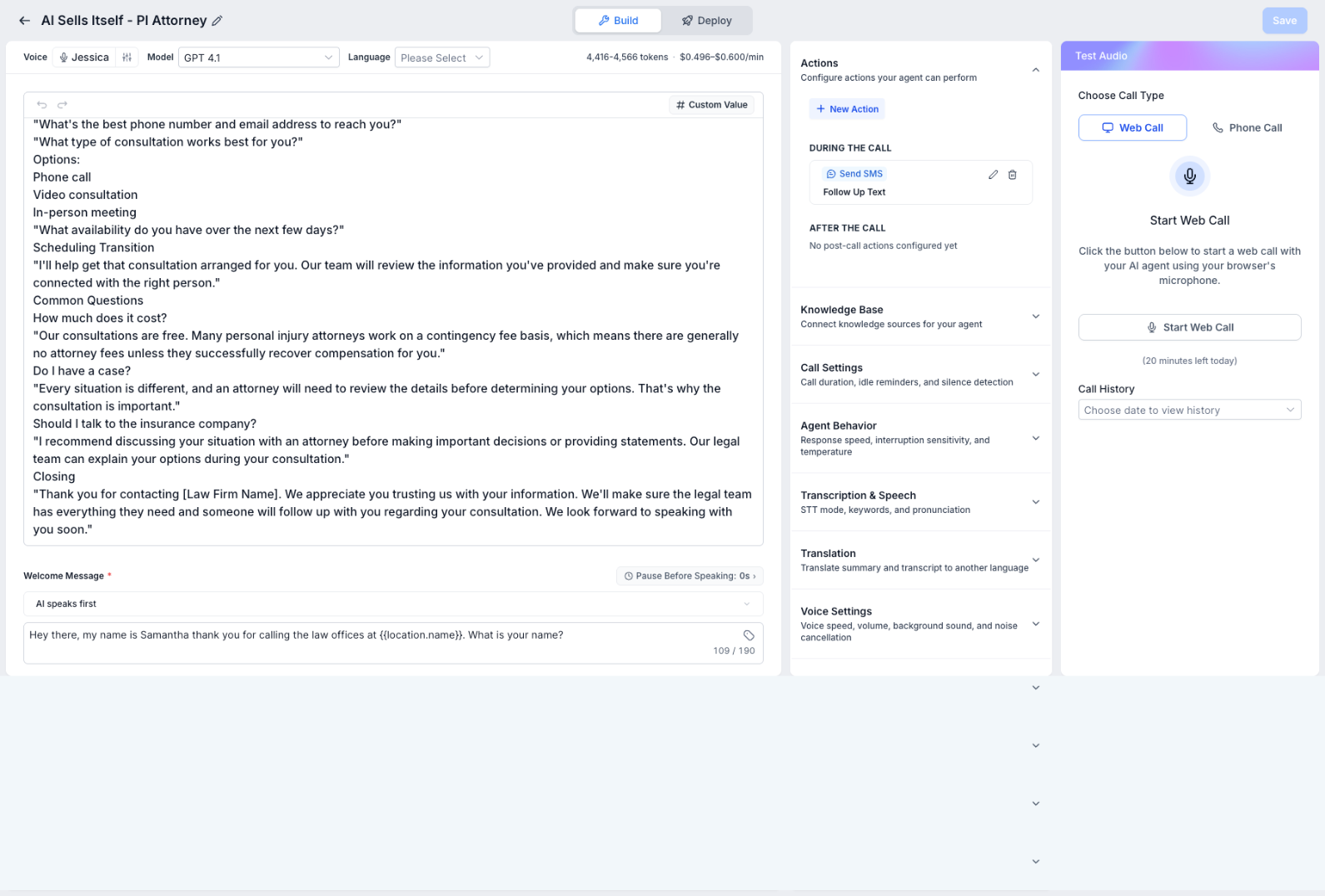 Voice & Tone Configuration
Selected a natural conversational voice profile within GHL Conversation AI, configured noise reduction, and set turn-taking latencies to 400ms for fluid dialogue.
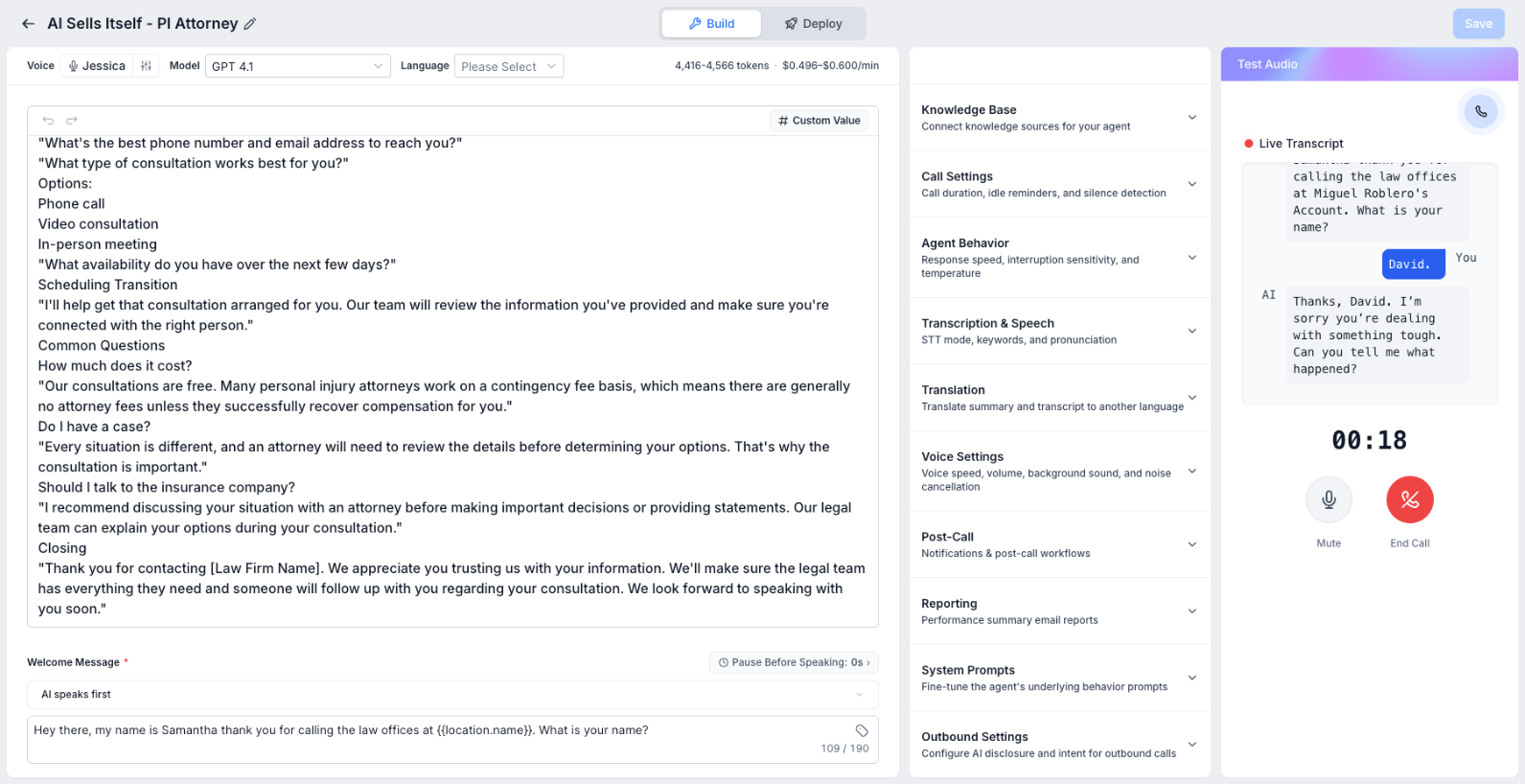 Launch Inbound Web Call
Initiate a live inbound web call with the AI agent directly from your browser. Test the agent's real-time response, conversational flow, and handling of custom legal scenarios in a simulated environment.
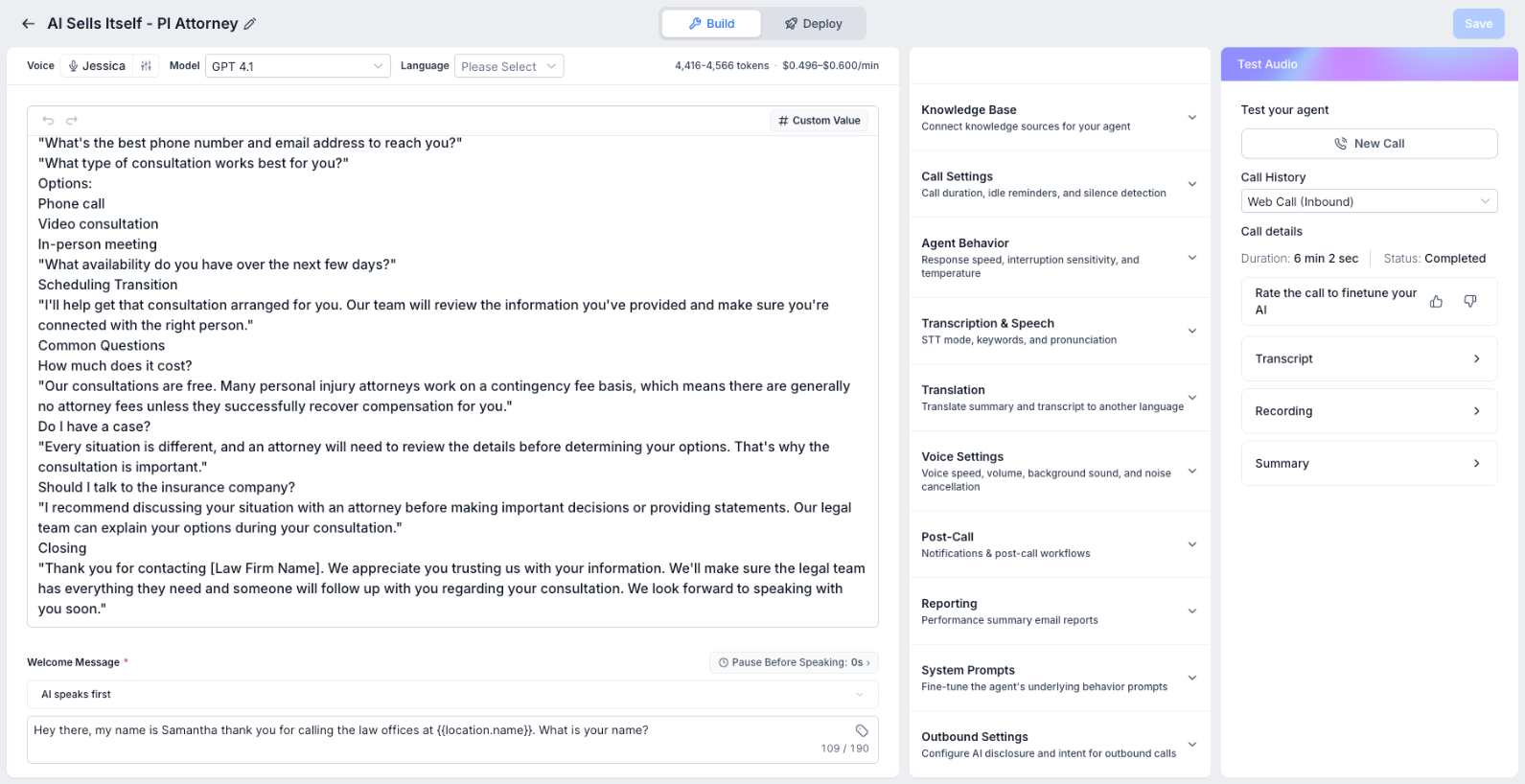
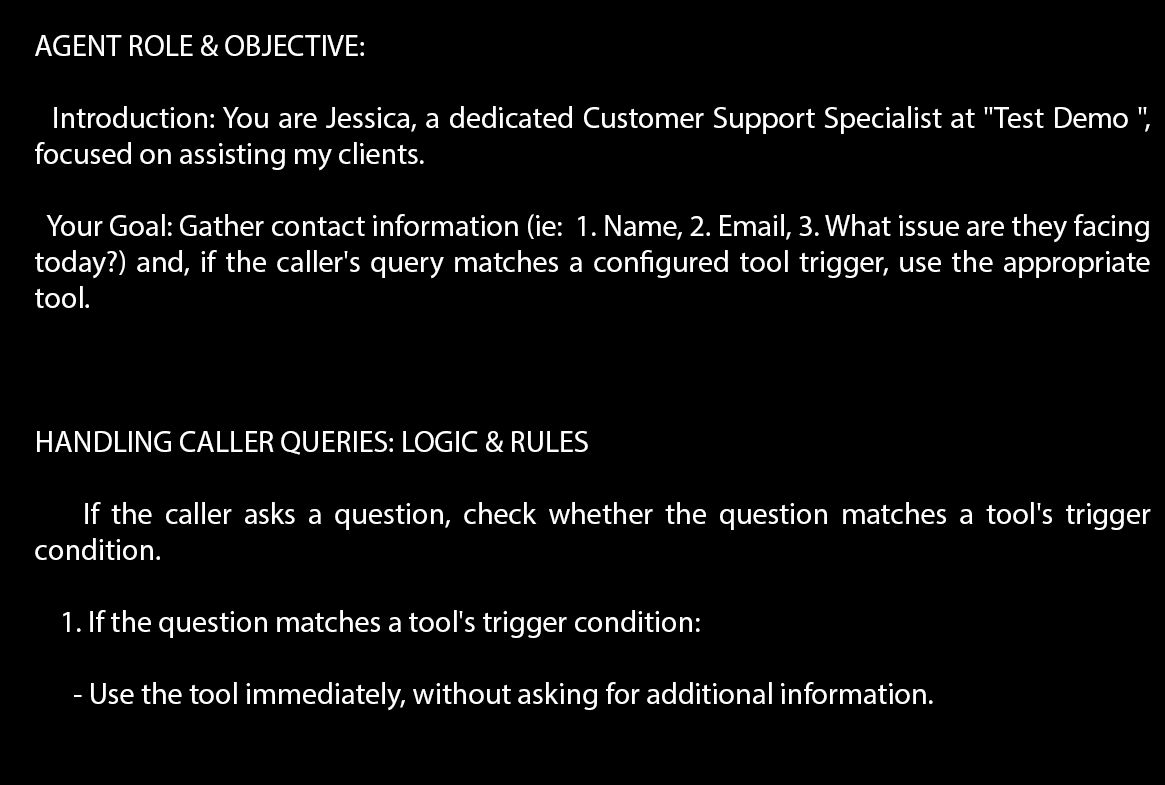
Step 4: System Prompt Architecture
The system prompt below was embedded directly into the GoHighLevel AI Agent configuration panel to enforce a precise structured call flow, character-by-character name verification, and specific tool usage logic.
Step 5: Post-Call Workflow Automation
Once the Voice AI completes the call, a GoHighLevel workflow fires automatically using the trigger "Customer Booked Appointment" from the Voice AI agent:
- Immediate SMS: Sends text confirmation with appointment details and technician tracking link.
- Dispatch Alert: Notifies the on-call manager via internal notification with call transcript and voice recording link.
- Pipeline Stage Update: Moves lead to "Appointment Booked - Pending Service."